JUST GIVE IT A TRY.

We make simple tools
anyone can use.

Anyone could make these things, but few stop to try.
At Cold Lupin, we try them ourselves.

Explore apps and web tools
Keep it simple and give it a try.

Apps and web tools

Documents

Tools · PDFContains ads

PDF Baro

Read, search, and annotate PDFs. Save your changes to the original or keep a copy.

Availability
Worldwide
Languages
KoreanEnglishSimplified ChineseJapaneseSpanish
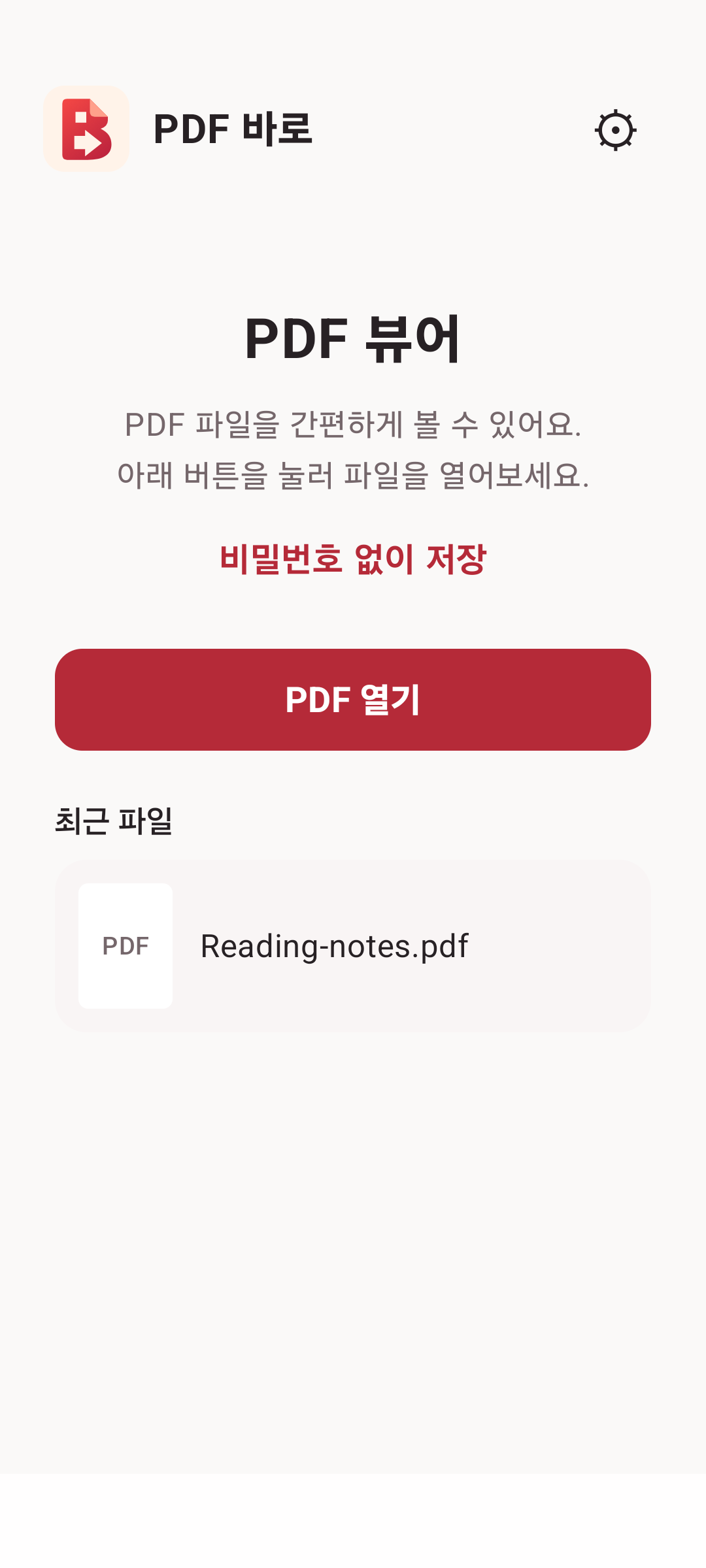
PDF Baro home and recent files

Workouts and routes

Web guide for workouts and routes

Which devices can I use?

For editing GPX routes and saving to folders, we recommend Chrome or Edge on a computerso you can see a larger map. Folder saving requires browser support. RoutineLoop works in desktop and mobile browsers.

Do I need to sign in?

You can edit routes and build workouts manually without signing in. Google Drive sync requires a separate connection. RoutineLoop requires Google sign-in for AI workout generation and YouTube analysis, and a cooldown applies.

Where are my files saved?

Save routes to a folder on your device or export them as GPX files. RoutineLoop saves data in your current browser. Connect Drive sync in each service to continue on another device. Check your sync status before clearing browser data.

Routes and estimates are planning aids. Check actual road conditions and access rules. Unknown road information does not establish access or safety. RoutineLoop charts summarize workouts. Features can vary between the web and Android.

Everyday tools

Lifestyle · AlarmsContains ads

Ten Seconds Before

Set a date and time for a full-screen countdown that reaches zero at the right moment.

Availability
South Korea
Languages
Korean
Collapse multiple countdowns to see them together

Communication and safety

Learn and play

Learning · TrainsContains ads

Train & Subway Atlas

Find trains by photo, explore them by era, and collect Plarail models in your garage.

Availability
Worldwide
Languages
KoreanEnglishSimplified ChineseJapaneseSpanish
Find countries and trains by photo

Content channels

WHY WE BUILD

Start small.
Keep it simple.

We make simple tools anyone can use. Some ideas are easy to imagine and easy to put off. At Cold Lupin, we build them anyway.

We try the ideas that come to mind and build them one at a time.

Send us feedback or questions

Safety · Emergency signals

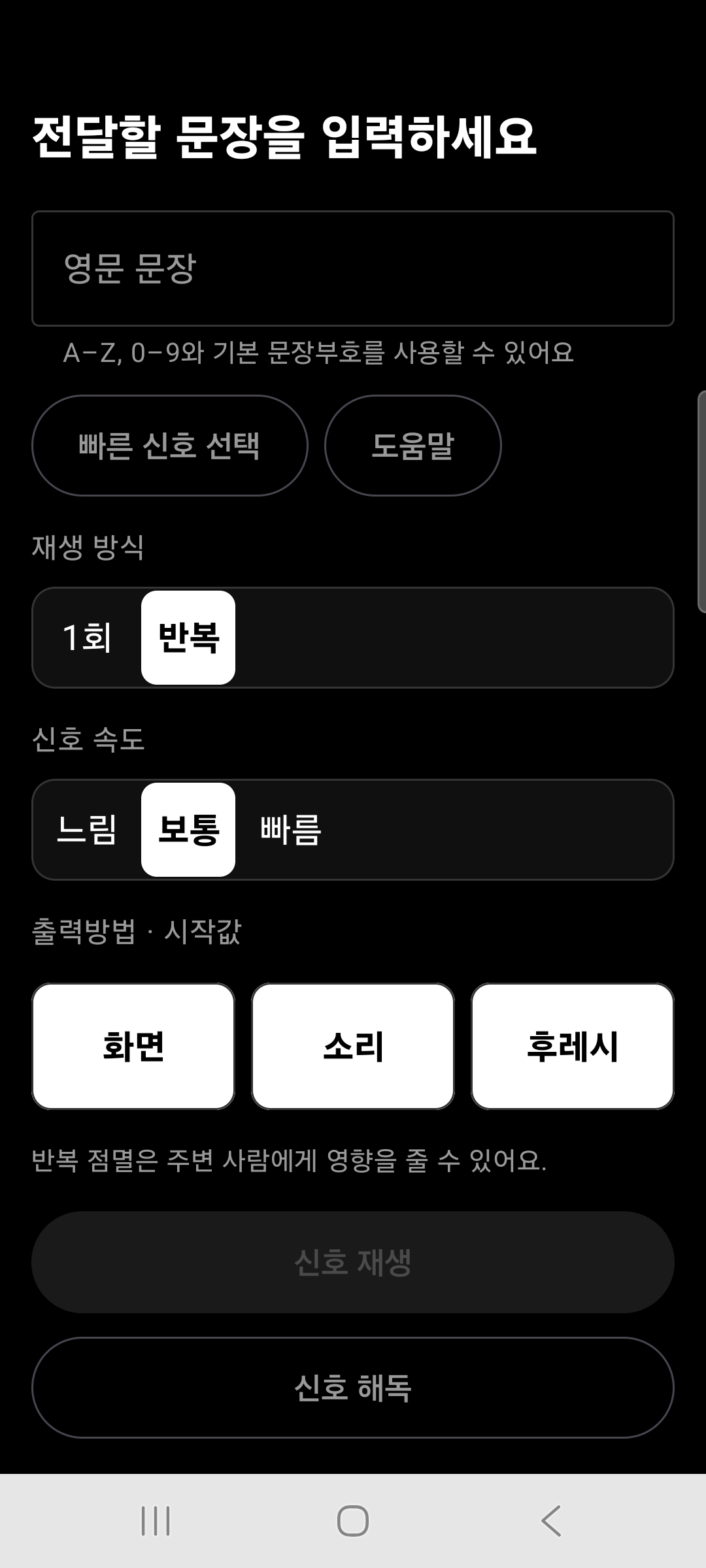
SOS Morse Code

Set a message and choose how to send it
Decode Morse signals by tapping

Send and decode Morse code during emergencies and power outages.

Under review · 1.1.6 (8) improves the light decoder's aiming guide on bright and dark backgrounds. Screens may vary by installed version.

Screenshots from app testing. Some show test ads or sample data.

What you can do

Designed for quick use in an emergency, with no ads. You can decode signals without knowing Morse code.

  • Send a message as screen flashes, sound, or flashlight signals
  • Send a quick SOS, consult Q codes, and manage saved phrases
  • Decode Morse from camera, microphone, or taps and see the result
  • Open settings and return when a permission is denied

Languages and usage

Available in Korean, English, Spanish, Japanese, and Simplified Chinese.

Decoding depends on your device and surroundings. Delivery of an emergency message is not guaranteed. The preview sends no sound or light.

Ad-free

Use the app without ads.

Communication · Braille

Braille Lens

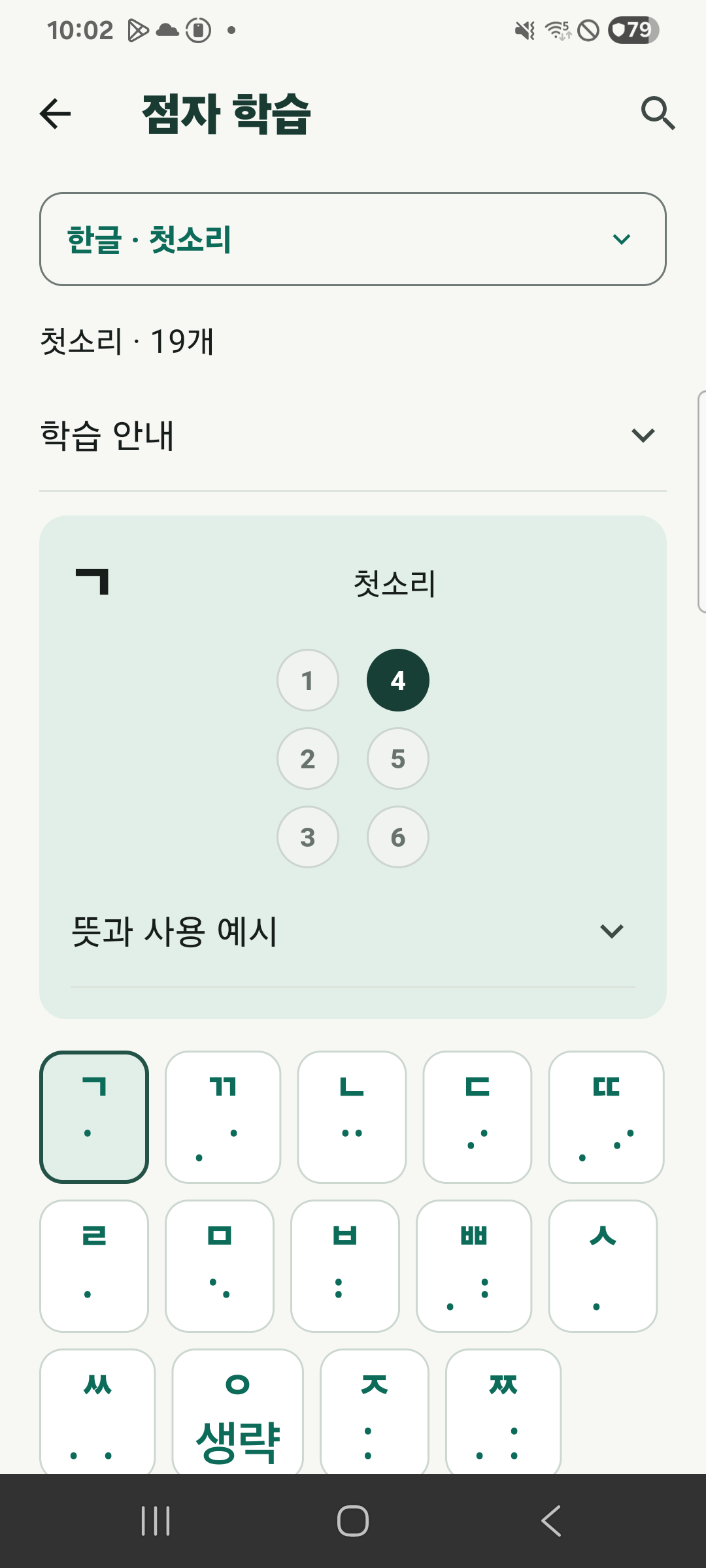
Choose a category to learn Korean Braille
Type Braille by tapping dots
Convert text to Braille and inspect each cell
The history of Hunmaengjeongeum and Korean Braille
See the reading result for a sample photo
Add or remove detected dots in the English interface
Read again after correcting the dots on a sample sign

Learn and write Korean Braille, read it from photos, and explore its history.

The lessons and stories are from version 1.1.0. Dot correction and rereading use the English UI in 1.1.1 (4045), with a sample sign.

What you can do

Learn Korean Braille step by step and expand explanations as needed. Change the category and input method in a dialog.

  • Learn and practice Korean letters, abbreviations, indicators, numbers, and Latin letter signs
  • Enter one cell at a time or tap multiple dots together and practice with quizzes
  • Convert text to Braille, review it cell by cell, and copy it
  • Read about Park Du-seong and Hunmaengjeongeum, and fit or zoom Braille chart photos to 2×
  • Take or open a photo and adjust the reading area
  • See the reading first, then inspect detected dots and analysis details
  • Add or remove dots, undo changes, and optionally look for nearby dots before confirming

Languages and usage

Available in South Korea. Screen language and store availability are separate.

Available in South Korea with Korean and English screens and a system language option. It teaches letters, numbers, and signs within Korean Braille. Romanized labels help you read Korean.

Based on Korean Braille. English UI and romanization are reading aids. Review suggested dots yourself. Accuracy may vary with ambiguous photos.

Ads

  • Banner at the bottom of the home screen
  • Full-screen ad during Gemini interpretation after photo recognition or correction

Lifestyle · Health

MediRhythm

Today's schedule and how to add a medication
Add a medication by photo, product name, or manual entry

Organize your medications and see your daily schedule at a glance.
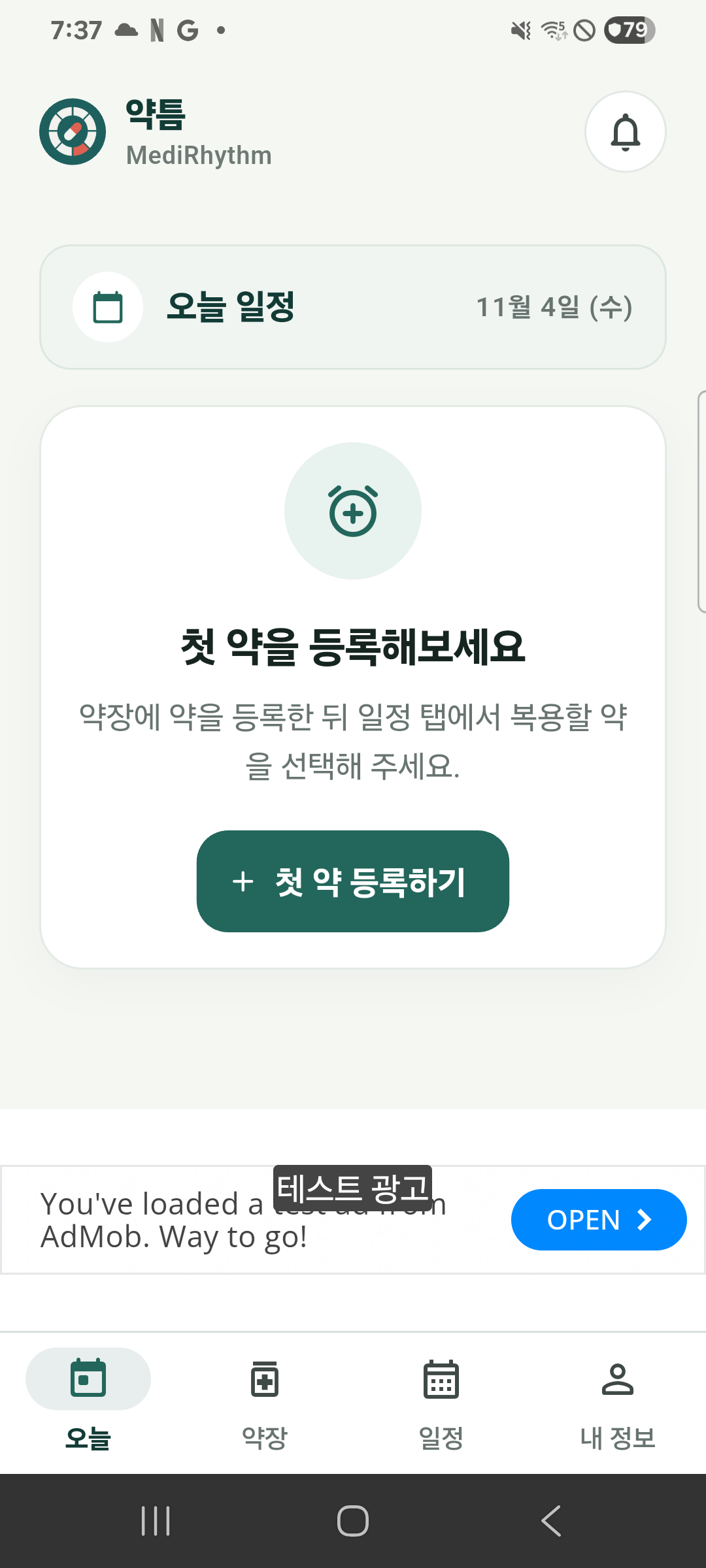
Screenshots from app testing. Some show test ads or sample data.

What you can do

Make it easier to keep track of medication and supplements.

  • Add medications or supplements manually, from a photo, or by product name
  • Create schedules, update times, set reminders, and log doses
  • Create your own schedule or review AI suggestions
  • See a personalized nutrition summary and source links
  • Delete your profile in the app

Languages and usage

Available in South Korea. Screen language and store availability are separate.

Available in South Korea with a Korean or English interface. Product search and photo analysis run in Korean. The final guidance uses your selected language and keeps the Korean original.

Enter product names in Korean. Photo interpretation and analysis run in Korean. Final guidance uses your language and retains the original.

Ads

  • Banner above the bottom navigation
  • Rewarded ad before product search and ingredient analysis after a photo is interpreted
  • One reward covers the internal search and analysis for one registration.

Fitness · Maps

Coursketch Bike

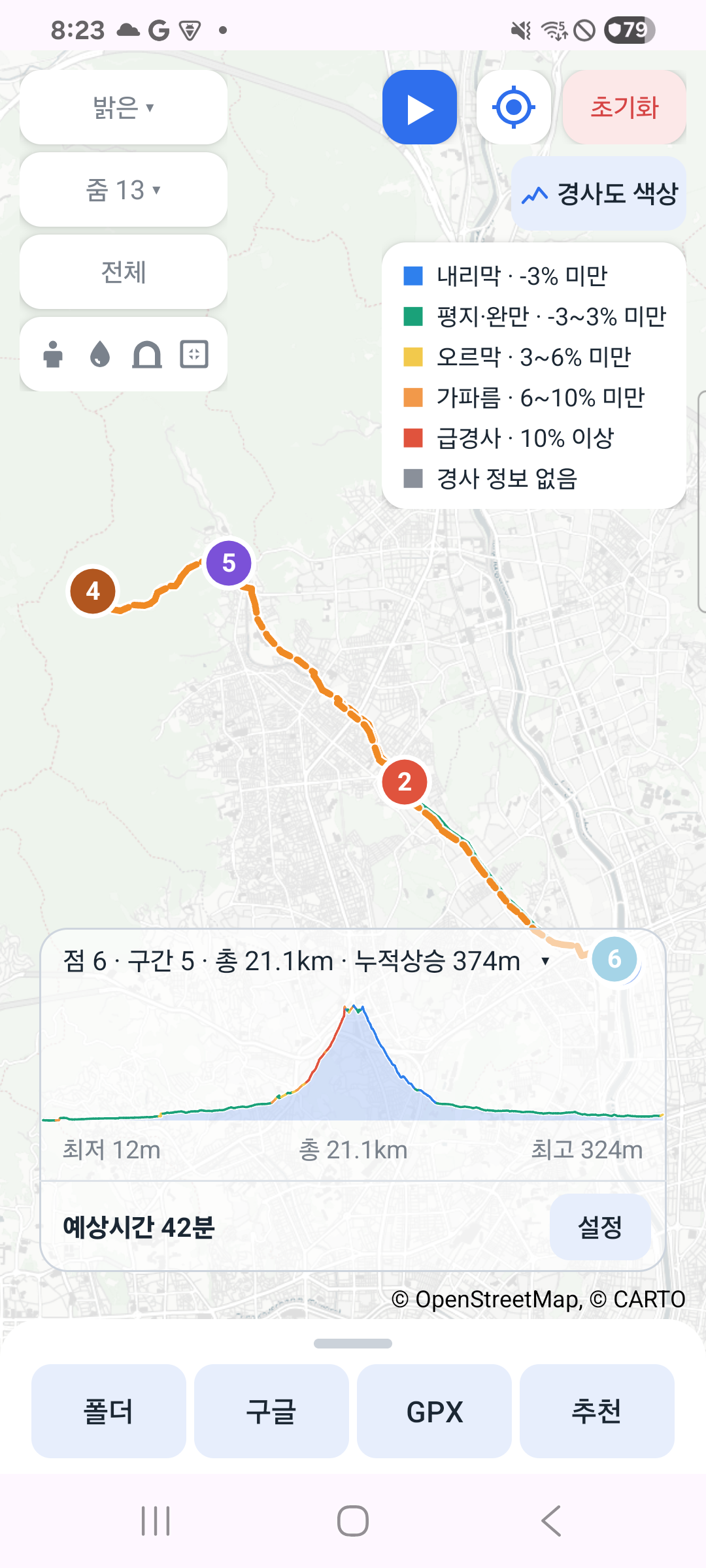
Elevation grades and color legend on a recommended route
Find recommended routes by distance, elevation gain, and road information

Plan a bike route on the map and check distance, elevation, and road sections before you go.

Features

  • Search for places, edit waypoints, remove and restore markers, and reverse routes or make them round trips
  • Open recommended routes and filter by distance, elevation gain, and road information
  • Compare sections with grade colors and a legend
  • Import and export GPX and optionally sync through Google Drive

Getting started

Search for a place or select at least two points on the map. You can also edit a recommended route.

Availability and requirements

Saving directly to a folder requires browser support. The Android map can show Han River facilities. The web map links to Seoul's official facility map .

Android 8.0 and later · Google Play release 1.2.0 (19)

Screenshots taken before the Bike GPX name changed. Some show test ads or sample data.

Supported languages and usage

Available in South Korea. Screen language and store availability are separate.

Available in South Korea with Korean and English screens. Search results may show Korean place names and addresses.

Designed for routes in South Korea. Search results may show Korean place names and addresses. Check whether roads are open to you and safe to use.

Android ads

  • Banner at the bottom of recommended routes
  • Full-screen ad before some GPX exports

Fitness · Maps

Coursketch Run

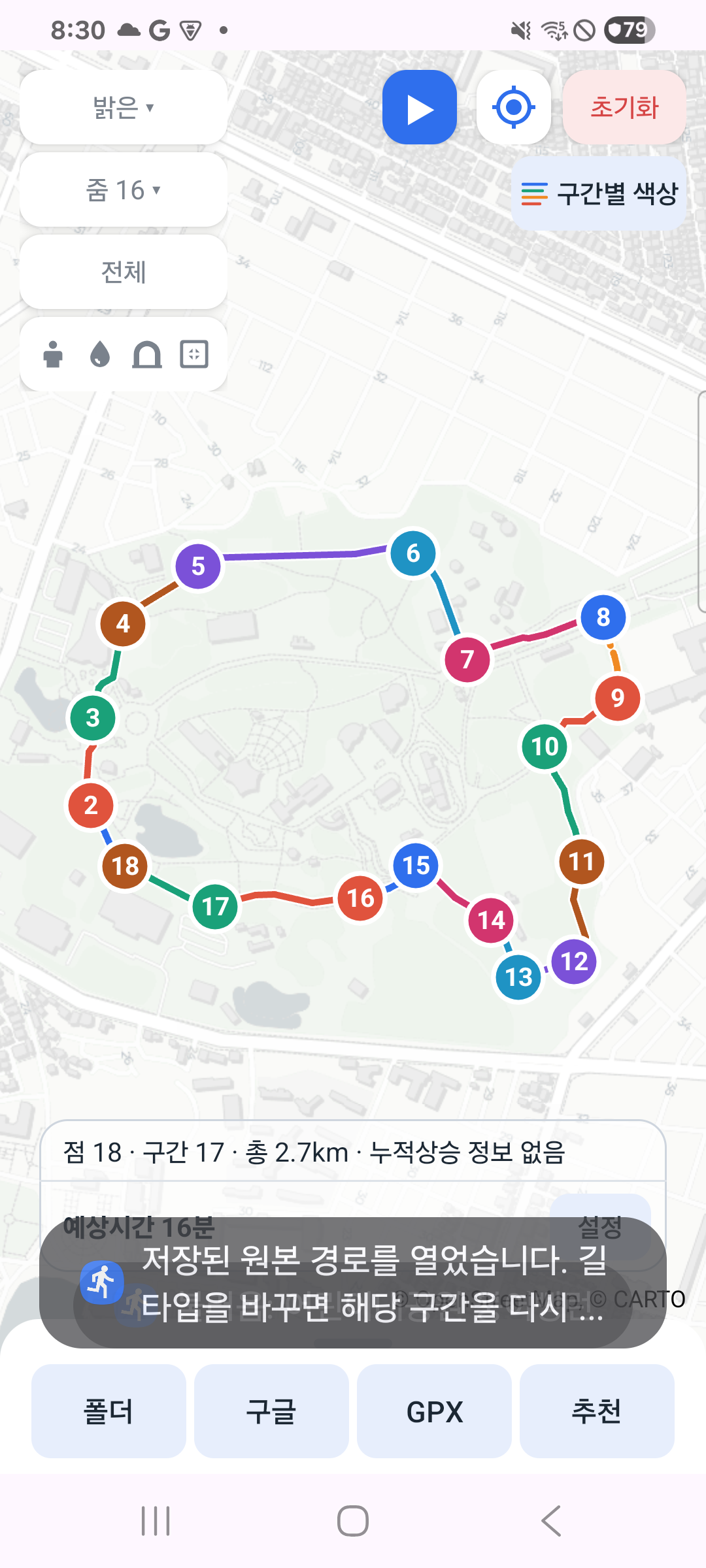
Browse a recommended running route and see its distance and elevation
Recommended route search filters

Plan a running route on the map and check distance, elevation, roads, and trails before heading out.

Features

  • Search for places, edit waypoints, remove and restore markers, and reverse routes or make them round trips
  • Open recommended routes and filter by distance, elevation gain, roads, or trail source
  • Compare sections with grade colors and a legend
  • Import route files, export GPX, and optionally sync through Google Drive

Getting started

Choose a recommended route or search for places and add waypoints.

Availability and requirements

Saving directly to a folder requires browser support. The Android map can show Han River facilities. The web map links to Seoul's official facility map .

Android 8.0 and later · Google Play release 1.2.0 (19)

Screenshots taken before the Run GPX name changed. Some show test ads or sample data.

Supported languages and usage

Available in South Korea. Screen language and store availability are separate.

Available in South Korea with Korean and English screens. Search results may show Korean place names and addresses.

Designed for routes in South Korea. Search results may show Korean place names and addresses. Check whether roads are open to you and safe to use.

Android ads

  • Banner at the bottom of recommended routes
  • Full-screen ad before some GPX exports

Fitness

RoutineLoop

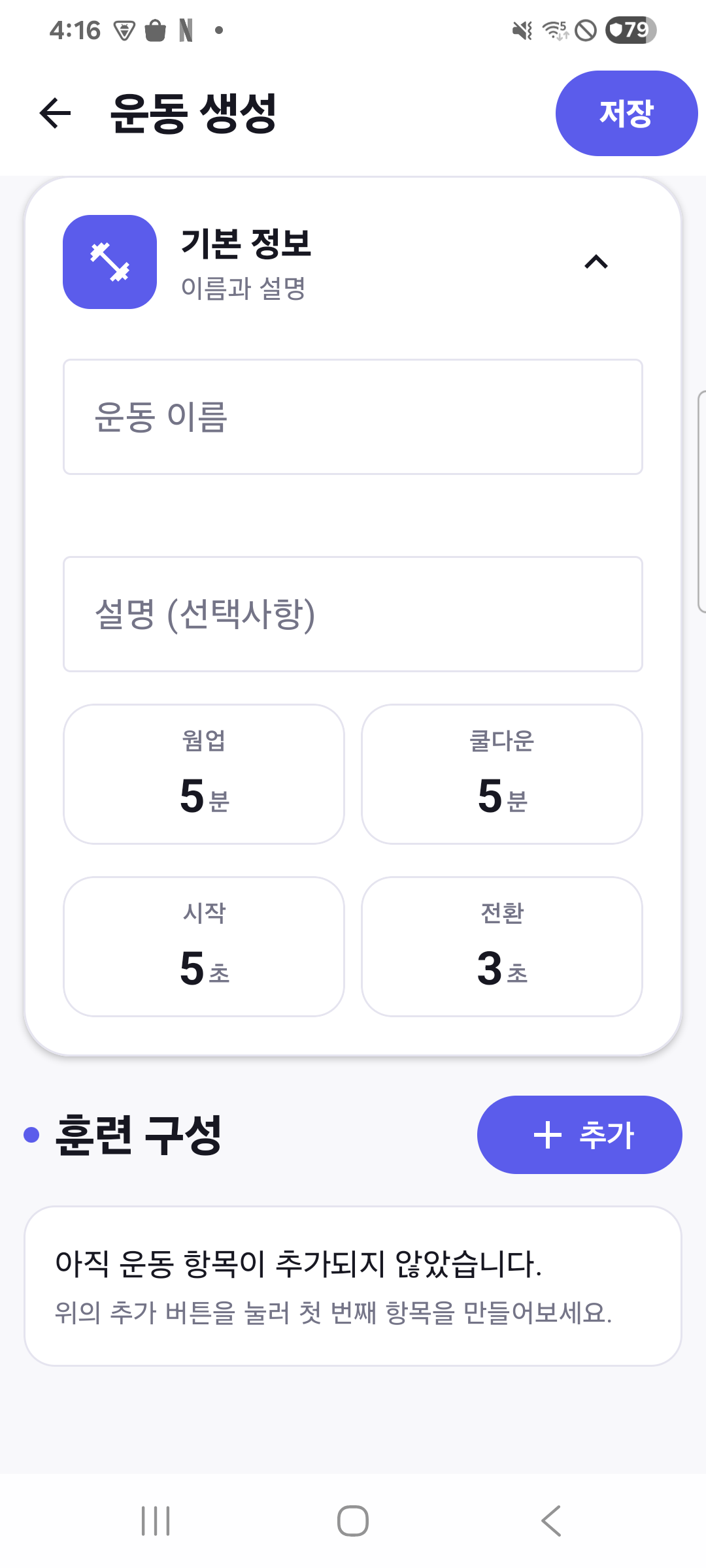
Build a workout and set its basics
Collapse basic settings to focus on workout structure

Combine exercise, rest, sets, and reps and run them on a timer. Compare your workouts over time.

Features

  • Choose the duration, reps, pace, rest, and sets
  • Search saved workouts and review schedules, history, and trends
  • Import and export workout JSON, share history, and open it in a read-only viewer
  • Optional AI workout generation, YouTube analysis, and Google Drive sync

Getting started

Build and save a workout, then start the timer. On the web, you can begin with one of the public workout templates.

Availability and requirements

Google Play release 1.4.0 (18).

AI features on the web require Google sign-in. AI workouts and YouTube analysis each have a daily limit of six uses per Android installation or four per web account.

Screenshots from app testing. Some show test ads or sample data.

Supported languages and usage

The interface supports Korean, English, Spanish, Japanese, and Simplified Chinese. AI guidance is in Korean or English.

AI uses Korean or English, with English guidance for other interface languages. Charts show stored workout history. Open workout JSON and shared history on Android or the web.

Android ads

  • Banner below the workout, statistics, and schedule tabs
  • Full-screen ad after some completed workouts
  • Rewarded ads before AI workout generation and YouTube analysis
  • The server verifies the reward. Network or service problems may prevent verification.

Music

Simple Metronome

Tempo, beat, sound, and vibration settings in the light theme
Dark theme and custom beats
Choose sound and vibration for each beat

Hear and feel the beat as you build a practice routine.
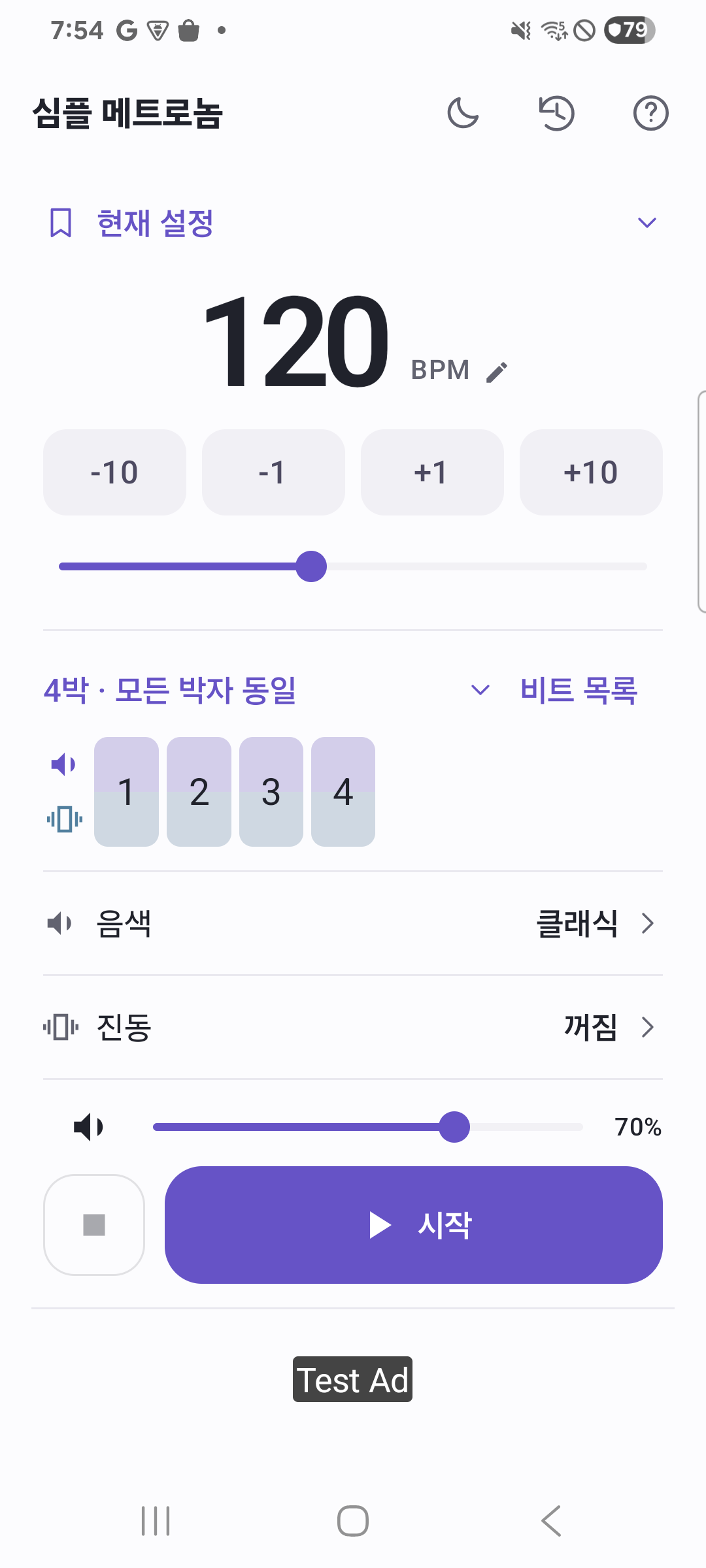
Under review · 1.0.0 (8) improves playback controls and guidance when notifications are denied. Screens may vary by installed version.

Screenshots from app testing. Some show test ads or sample data.

What you can do

Set the beat quickly and focus on your practice.

  • Set the tempo, meter, sound, and vibration
  • Choose sound and vibration for each of up to 16 custom beats
  • See playback status and the current beat in the number display
  • Save, load, and edit custom beat presets
  • Choose light or dark theme and open help or settings when needed

Languages and usage

Available in Korean, English, Spanish, Japanese, and Simplified Chinese.

The screenshots play no sound.

Ads

  • Banner at the bottom of the main screen

Lifestyle · Music

Media Controller

Connection status and widget setup on the main screen
Control the currently playing media from a home-screen widget
Open the Google TV app from the widget stack

See what's playing and control it from your home screen.
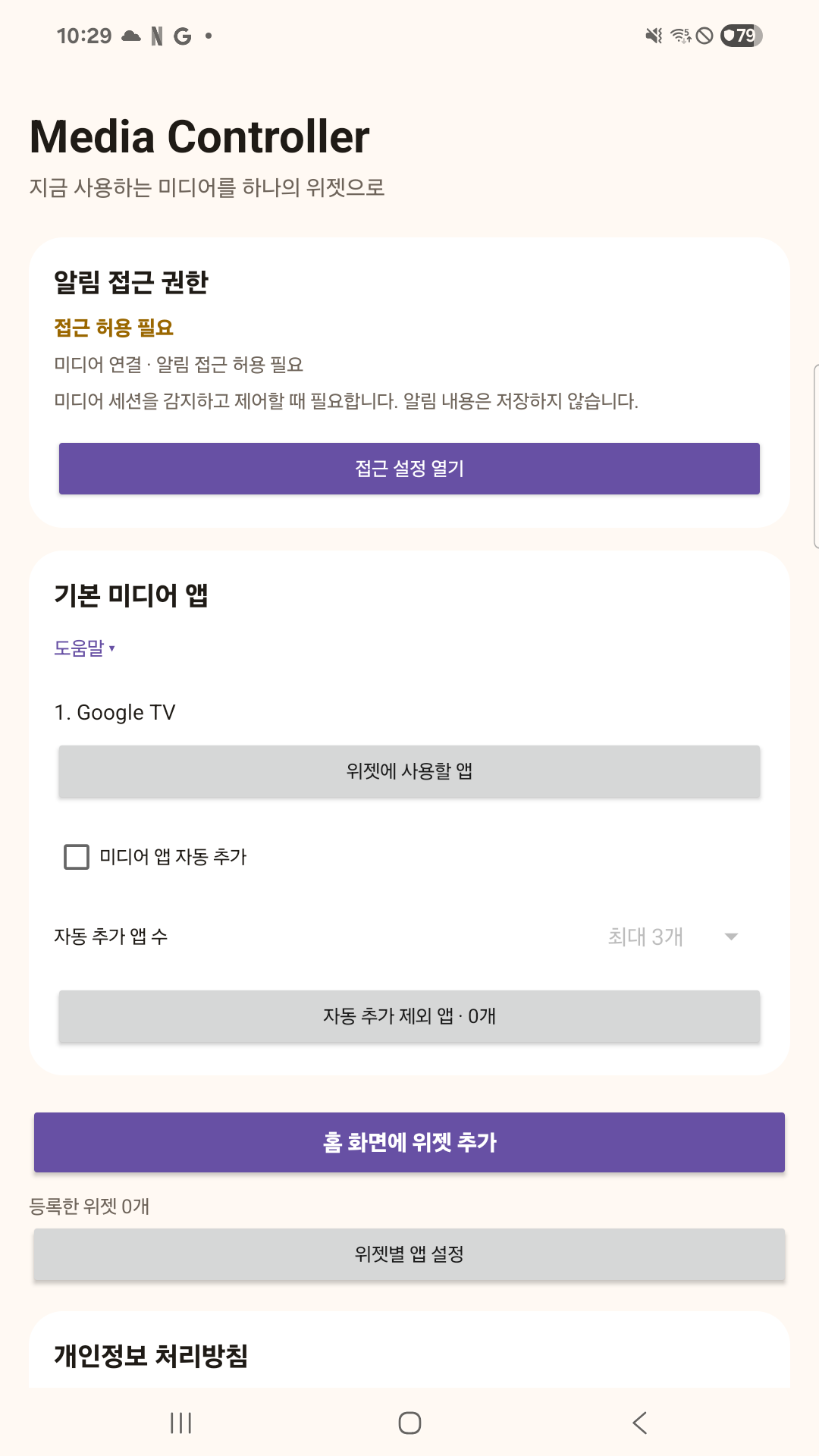
Screenshots from app testing. Some show test ads or sample data.

What you can do

Keep your everyday playback controls within easy reach.

  • Select media apps in your chosen order or select them all
  • Reorder apps by dragging or using the up and down buttons
  • Choose a different set of apps for each widget
  • Control playback or open the app separately
  • Request playback in supported apps from a recent media card and see a message if it fails
  • Set the limit and exclusion list for recent apps. Automatic addition is off by default.

Languages and usage

Available in Korean, English, Spanish, Japanese, and Simplified Chinese.

Google Play release 1.1.4 (22). Playback controls depend on support in each media app.

Notification access is needed to connect. Controls depend on the media app and its active session. A recent card can request playback in a supported app. If the request fails, the app shows an alert and offers to open the source app. Automatic addition of recently detected apps is off by default.

Ads

  • Banner at the bottom of the app settings screen

For families

Snack Scanner

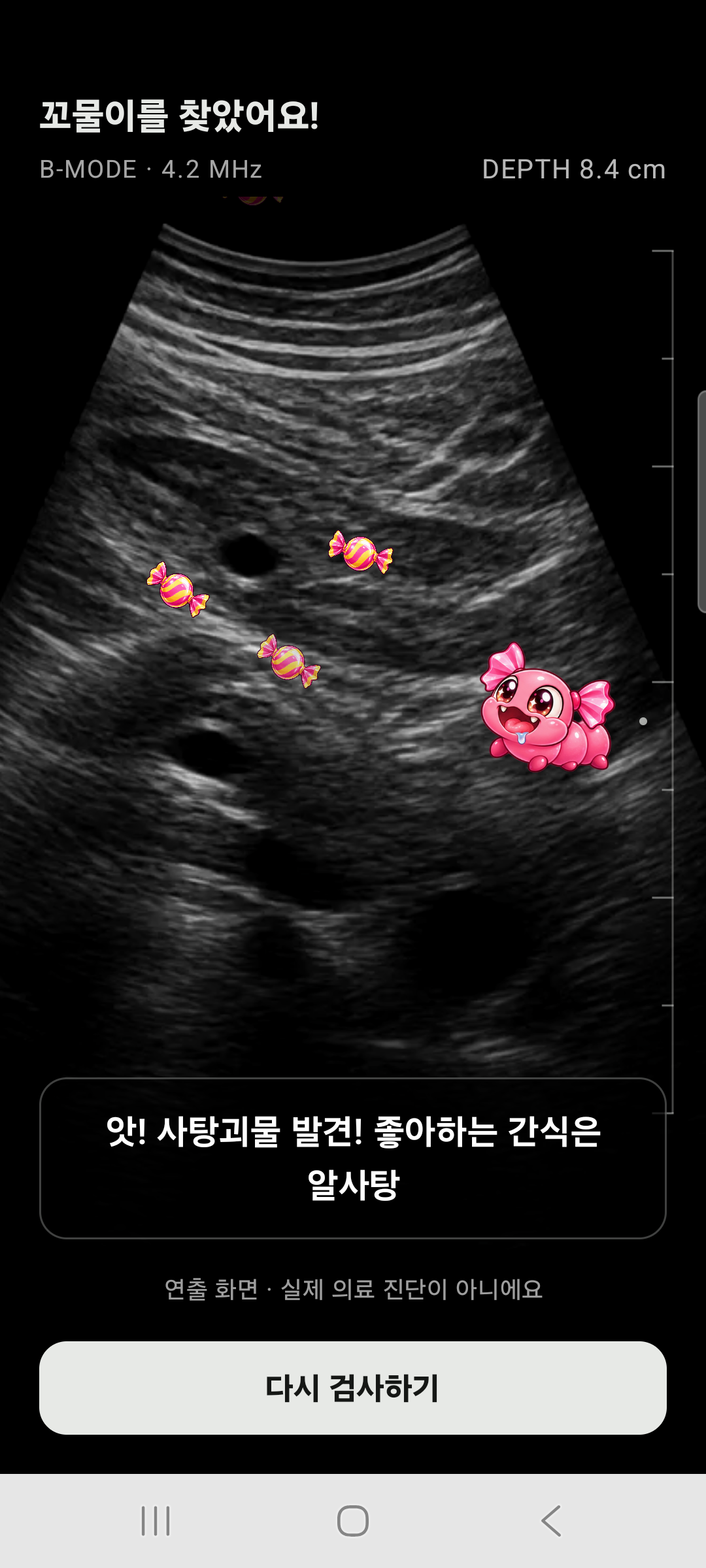
A new discovery after covering the camera lens in a test
Camera permission explanation

A playful way for kids and caregivers to talk about snacks.

Version 0.1.9 (10) is available on Google Play. Update if you have an older version.

Screenshots from app testing. Some show test ads or sample data.

What you can do

Use pretend play to help kids and caregivers talk about snack habits.

  • Camera-based pretend play for kids and caregivers
  • Clear instructions after discovery and when granting camera permission
  • When trying again, the app waits for a bright view before detecting a new cover

Languages and usage

Available in Korean, English, Spanish, Japanese, and Simplified Chinese.

A pretend-play activity for children and caregivers. It cannot identify real foods or diagnose health conditions.

Ads

  • Full-screen ad when returning from the result to try again
  • At most once per three returns to the camera in one app session
  • The other two returns go directly to the camera.

Learning · Games

Flag Quiz

White paint outline in an emulator running an internal test build
Flag quiz and map exploration menu
Check difficulty and question count in Quick Start
Drag scattered pieces into a flag jigsaw

Get to know the world through a flag quiz.
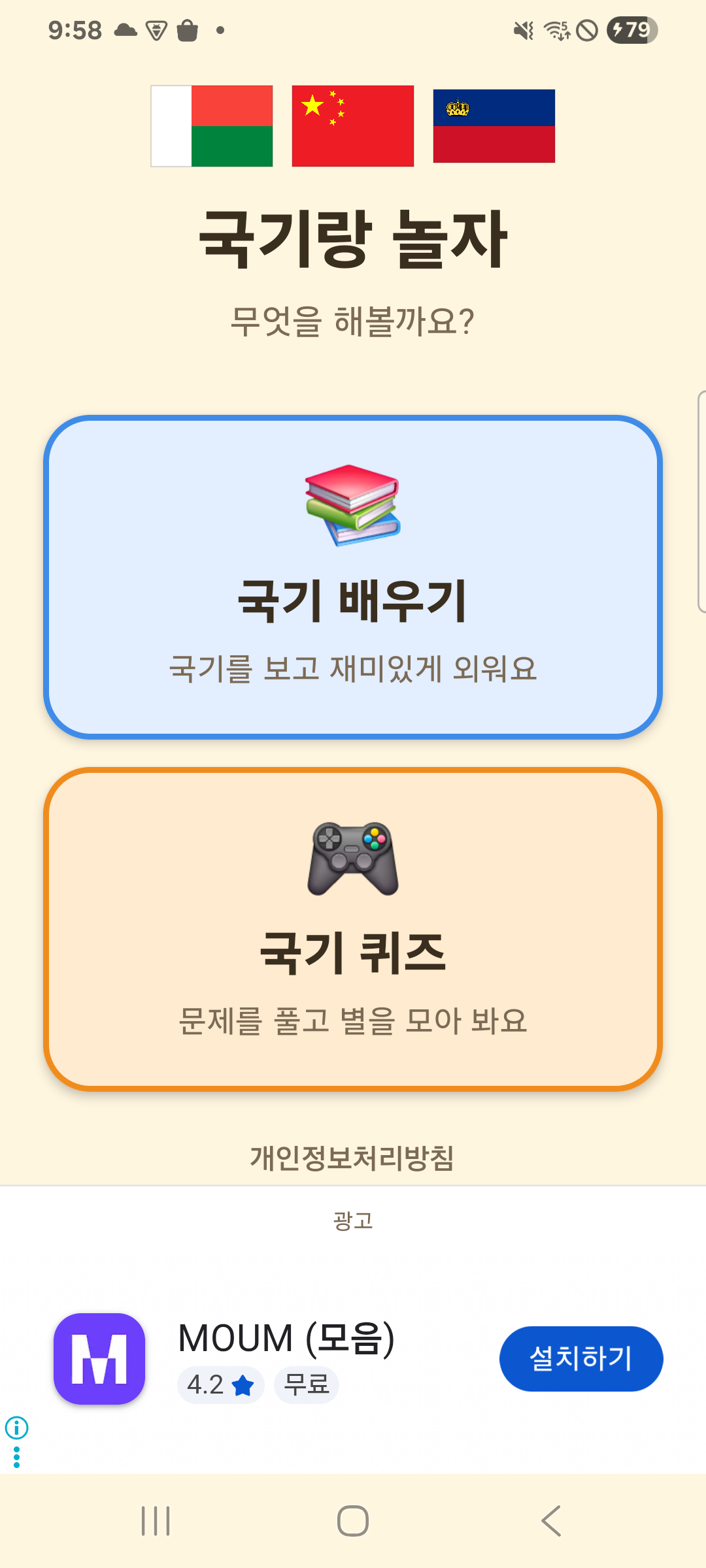
Under review · 1.0.0 (15) improves white paint outlines and drag highlighting. Screens may vary by installed version.

Version 0.2.10 (14) is available on Google Play. Update if you have an older version.

Screenshots from app testing. Some show test ads or sample data.

What you can do

Explore countries through quizzes, puzzles, and play.

  • See country names and flags together with detailed explanations
  • Review and adjust previous settings in Quick Start
  • Color flags, explore the map, and review mistakes
  • Random flag jigsaws in 3×3, 5×5, or 8×8 grids with one, three, or five puzzles
  • Study the reference flag, then drag the scattered pieces into place

Languages and usage

Available in Korean, English, Spanish, Japanese, and Simplified Chinese.

Browse the flag catalog and country stories.

Ads

  • Banner at the bottom of the home screen
  • Full-screen ad when restarting, changing settings, or returning home from results
  • At most once per three completed quizzes in a session. Canceled quizzes do not count.

Learning · Food

World Food Quiz

Same continent selected in the map and list on an internal test build
Learn about food or start a food quiz
Match food photos and countries in a quiz

Get to know countries and cultures, one dish at a time.
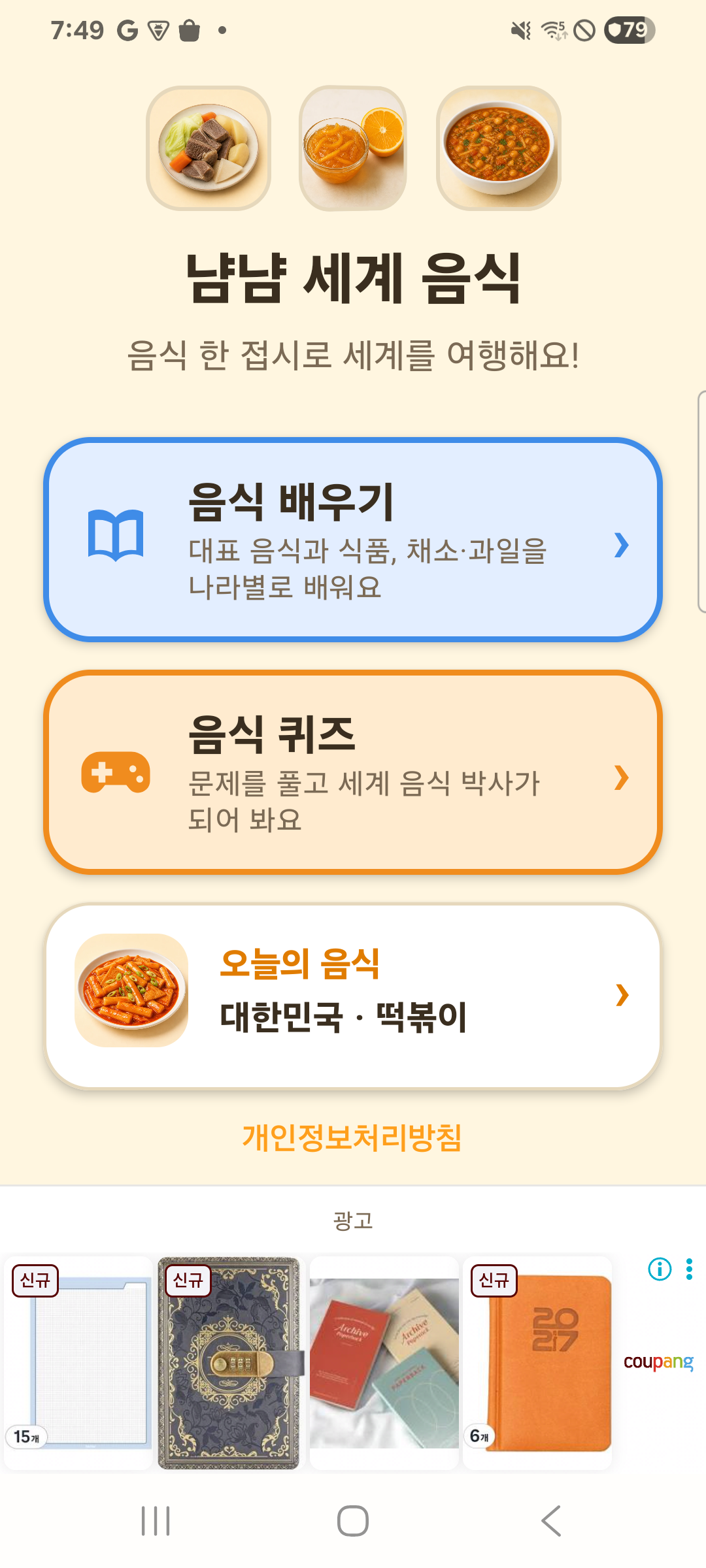
Under review · 1.1.0 (7) keeps the selected continent consistent across the map and list. Screens may vary by installed version.

Screenshots from app testing. Some show test ads or sample data.

What you can do

Explore dishes and ingredients from around the world. Play alone or with a friend, and revisit missed questions with learning cards.

  • Dishes, ingredients, and food stories by country
  • Start with previous settings and change only the options you need
  • See answer cards below the image and review images and answers side by side
  • Open a dish from a missed answer and return to the results

Languages and usage

Available in Korean, English, Spanish, Japanese, and Simplified Chinese.

Explore familiar dishes and discover food traditions from other countries.

Ads

  • Banner at the bottom of the home screen
  • Full-screen ad when returning home or starting over from quiz results
  • At most once per three completed quizzes in a session. Canceled quizzes do not count.

Learning · Geography

Globe Explorer: Countries and Capitals

Explore countries and cities on a 3D globe
Find the target country in a geography quiz

Spin the globe and find countries and capitals.
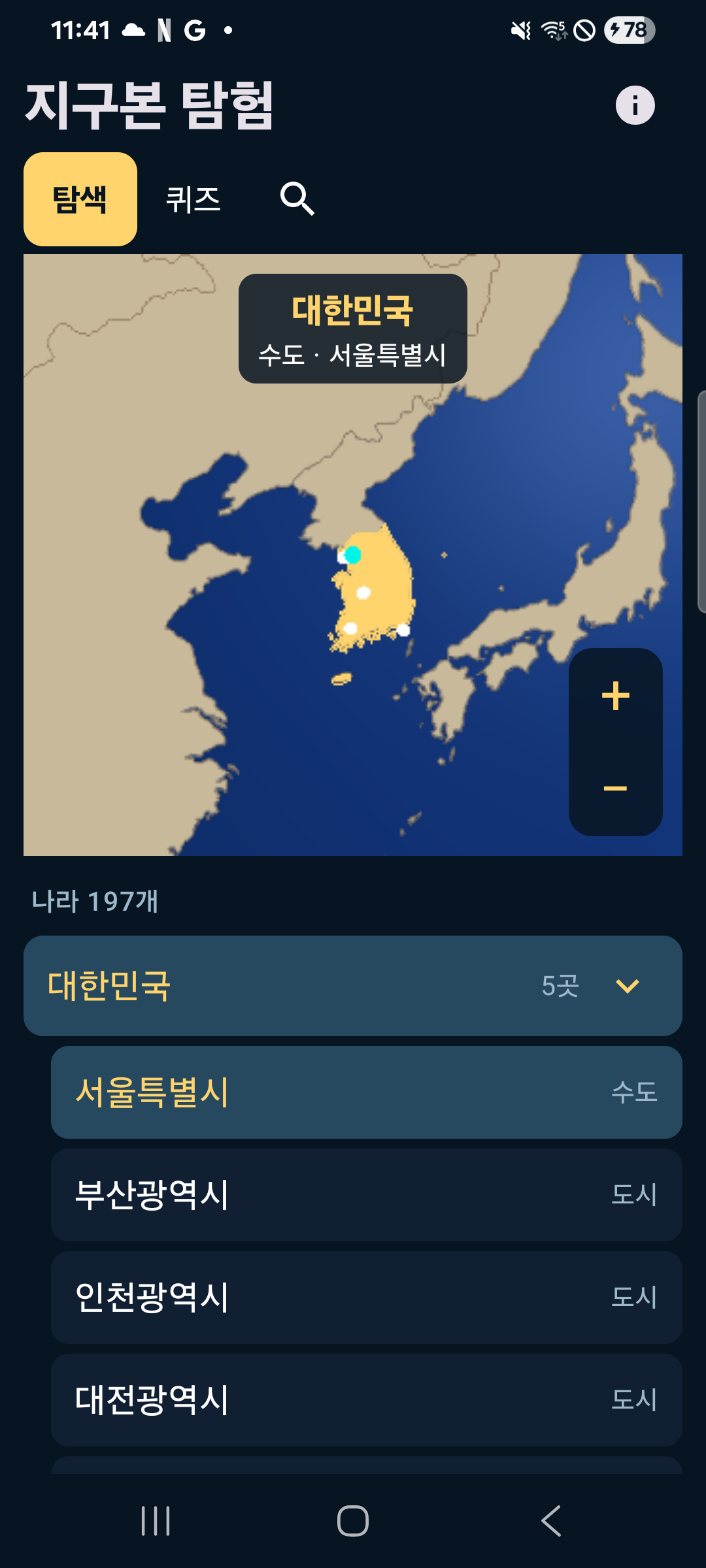
Under review · 1.0.8 (10) shows both answers and advances after three seconds when you miss a question. Screens may vary by installed version.

Screenshots from app testing. Some show test ads or sample data.

What you can do

Explore 197 countries, their capitals, and major cities on a 3D globe. Practice with country quizzes and review missed answers.

  • Search for countries, capitals, and cities on a 3D globe
  • See your selection and the correct location in a quiz
  • Study the correct answer for three seconds before moving on
  • Clear the search and see readable result counts

Languages and usage

Available in Korean, English, Spanish, Japanese, and Simplified Chinese.

Explore countries, capitals, and cities and practice with a quiz. Available on Google Play.

Ads

  • Full-screen ad when retrying, browsing, or searching from quiz results
  • At most once per three completed quizzes in a session. Canceled quizzes do not count.

Exploration · Astronomy

Star Explorer

Celestial object catalog and favorites
Sky directions for a reference city

Discover stars and constellations, and add observation notes to your photos.
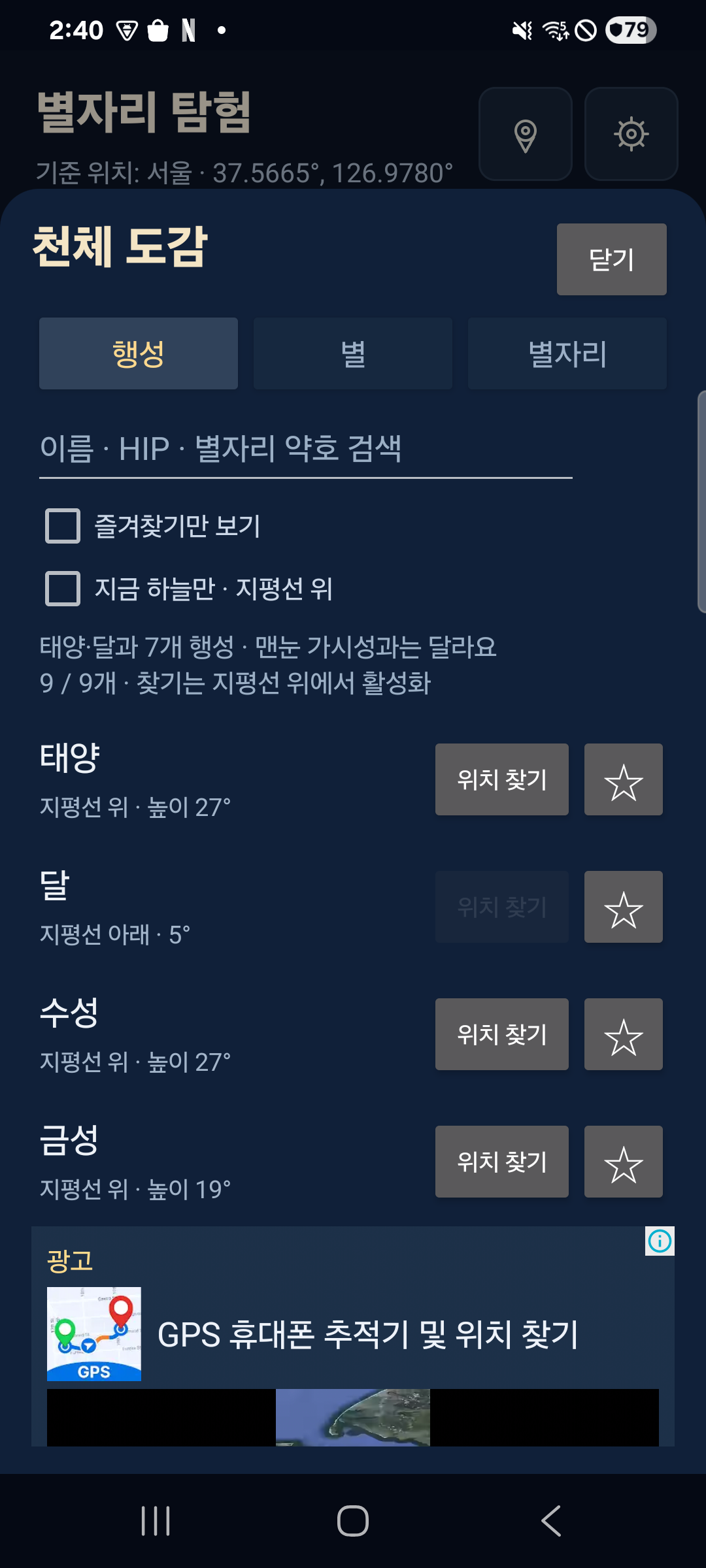
Version 1.0.0 (26) is available on Google Play. Update if you have an older version.

Screenshots from app testing. Some show test ads or sample data.

What you can do

Explore stars, constellations, and planets, check directions, or annotate photos.

  • Explore the sky from your location or a reference city
  • Expand or collapse settings for display options and camera calibration
  • Search the catalog and use favorites, sky directions, and filters
  • Add notes, shapes, and drawings to photos with undo and redo
  • Keep the original and save edits as a new file

Languages and usage

The interface and sky object descriptions support Korean and English. Available on Google Play. Children should use it with a caregiver.

Use a reference city without location access. Directions depend on sensors and your surroundings. Pay attention to your surroundings when moving. Never look directly at or photograph the sun.

Ads

  • Native ad in the celestial catalog
  • Full-screen ad after every three returns to the main screen following a new photo edit
  • Ads are restricted to those suitable for children.

Learning · Trains

Train & Subway Atlas

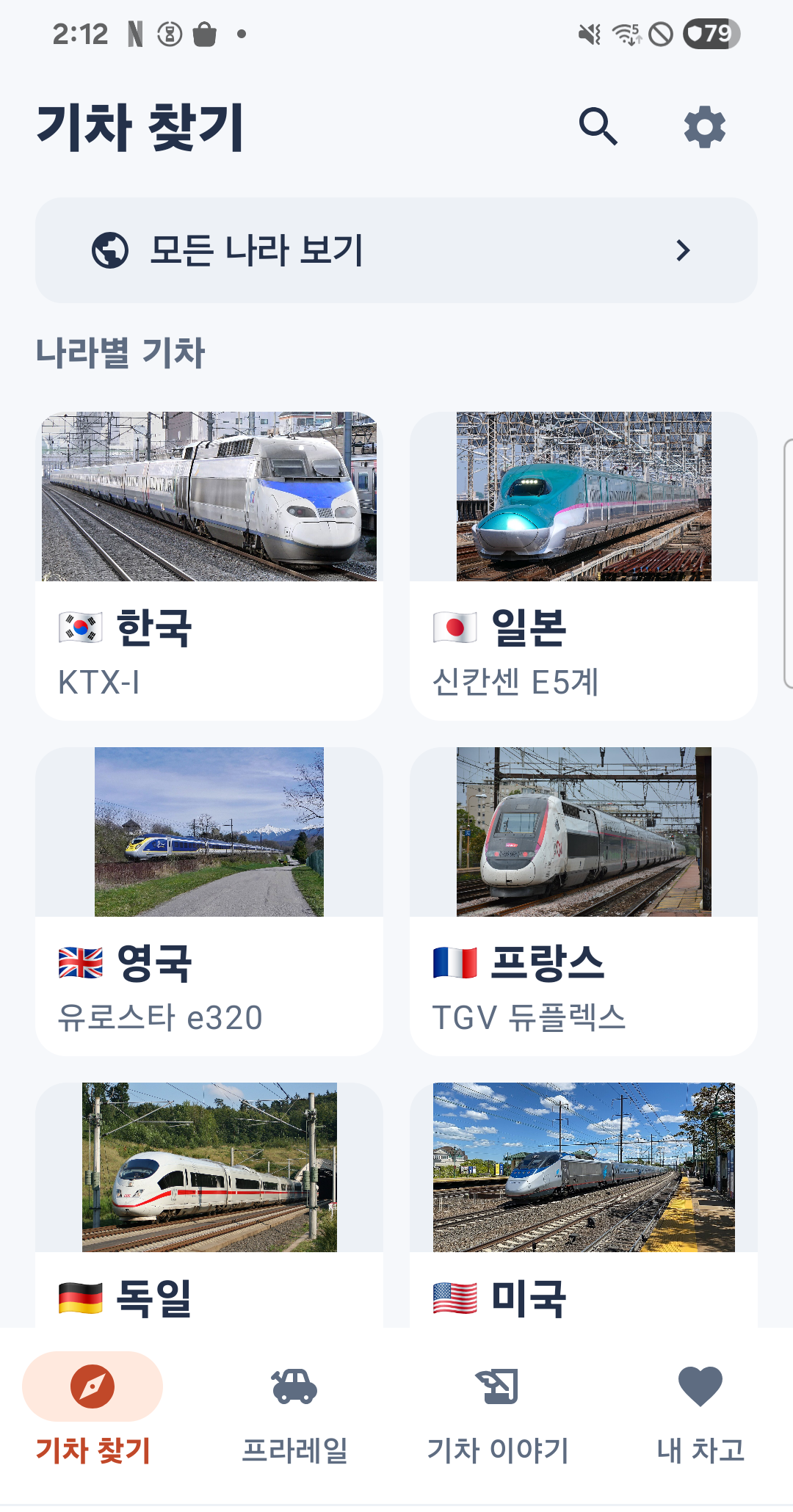
Find countries and trains by photo
Browse trains by country and type
See vehicle photos and details
Train stories by country
Browse trains by era and filters
Explore Plarail products
Collect favorites and owned models in your garage

Discover trains through photos and stories, and build your own collection.

Under review · 1.1.1 (103) separates photo management from resetting ownership records. Screens may vary by installed version.

Screenshots from Google Play internal test version 1.1.0 on the Galaxy S21.

What you can do

  • Explore 218 trains from 39 countries and regions, with photos
  • Find trains by country, type, or keyword. Read regional stories and filter by era or operating status
  • Browse older Plarail models and keep photos, ownership, and favorites in your garage
  • Includes 251 train photos. Some remote images require an internet connection

Languages and usage

Android interface in Korean, English, Spanish, Japanese, and Simplified Chinese. Proper names and some materials remain in their original languages.

Ads

  • Banner below the fixed bottom tabs
  • A full-screen ad may appear after every three returns from a train or Plarail detail page
  • Train stories may also show a bottom banner.

Tools · PDF

PDF Baro

Unsaved annotation prompt in an emulator running an internal test build
PDF Baro home and recent files
Reading tools and overwrite for a regular PDF
Navigate a document with page thumbnails
Search document text and review matching passages
Expanded drawing tools
Save a password-free copy of a protected document

Open a PDF on your device, find or mark important passages, and save or share selected pages as a PDF or image.

Features

  • Page thumbnails, outline, search, and single-page, two-page, or 2×2 views
  • Draw freehand or straight lines, highlight text, choose colors, undo, and hide annotations
  • Export the current page, all pages, or a custom selection as PDF, PNG, or ZIP
  • Enter the password to open a protected PDF and save a password-free copy

Getting started

Choose a PDF file. You can also drag and drop it on the web.

Availability and requirements

Overwriting depends on file and write permissions. Save a new copy when the browser cannot write to the original.

Under review · 1.2.1 (44) asks whether to keep editing before closing or opening another document with unsaved marks. Screens may vary by installed version.

Viewer screenshots from 1.2.0 on a Galaxy S21. Button positions may vary by release.

Supported languages and usage

Android 8.0 and later · Korean, English, Spanish, Japanese, and Simplified Chinese. Your highlights are applied to the working document. Save the file separately.

The PDF, file name, search terms, and password stay on your device. See the privacy policy for ads and optional Firebase analytics and crash reporting. Analytics and crash reporting are off by default.

You need a password to open a protected file. Opaque marks do not permanently remove the original text. You can edit annotations saved by this app. Annotations from other apps retain their original format and may have limited editing.

Android ads

  • Banner at the bottom of the home screen
  • A full-screen ad may appear at every other ordinary save confirmation. Canceling the save dialog counts as an attempt. Saving continues if the ad is unavailable.
  • Saving a password-free copy uses a rewarded ad. If saving fails or you cancel, the reward can be reused on the next attempt for the same document.
  • Sharing shows no ads.

Shopping · Prices

Sallim Prices

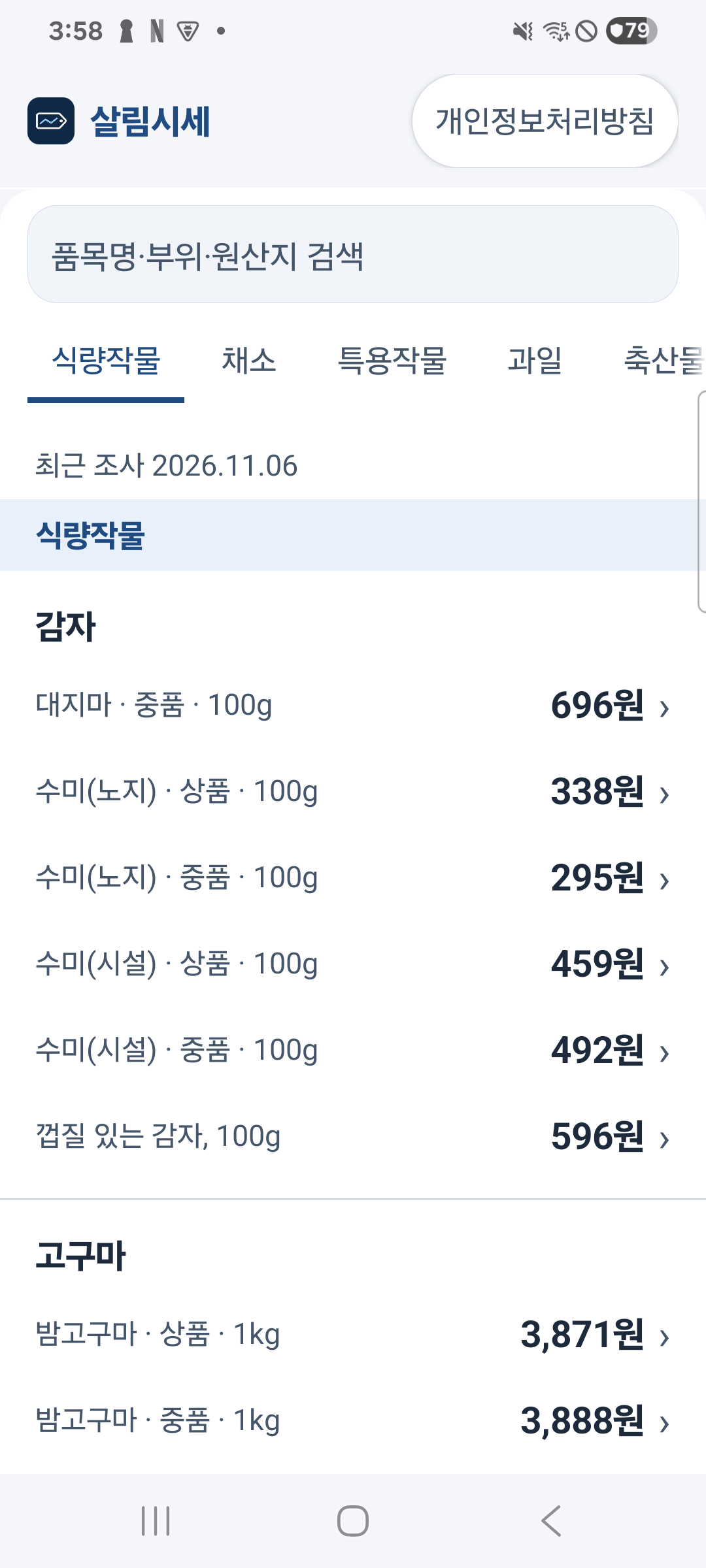
Variant, source, and price chart in an emulator running an internal test build
Latest surveyed prices by item
Daily potato price chart
Monthly potato price chart

Check surveyed retail prices and trends before you shop.

Features

  • Search prices for produce, seafood, meat, processed food, and household goods
  • See survey dates and daily, monthly, and yearly price trends
  • Compare variants and sources and calculate unit prices

Getting started

Choose an item, then select a variant or source in its details. Compare prices while keeping the chosen daily, monthly, or yearly view.

Availability and requirements

Surveyed prices may differ from what stores charge.

Android 8.0 and later · Google Play release 1.0.4 (6) · Web collection log

Screenshots from Google Play internal testing.

Android ads

A banner may appear below the Android price list and detail screens.

Lifestyle · Alarms

Ten Seconds Before

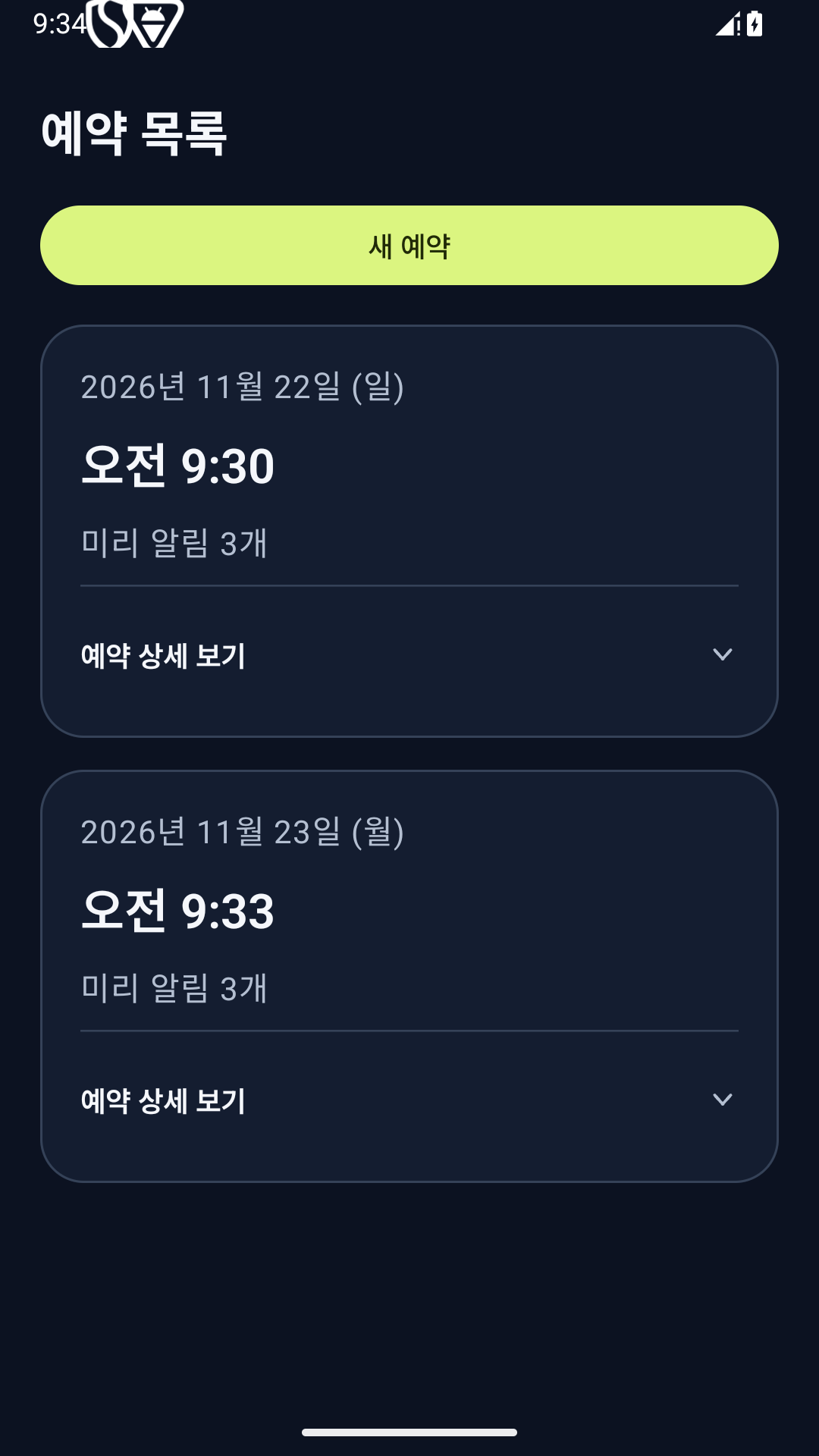
Collapse multiple countdowns to see them together
See required permissions even when an entry is collapsed
Schedule a date and time
Full-screen countdown
Countdown completed at zero

Set a date for New Year, an anniversary, or another moment to share. The app uses sound and a full-screen countdown from 10 to zero.

Schedule list shown on release 1.0.0 (50), with sample entries.

What you can do

  • Set a date and time and add an advance reminder.
  • Collapse or expand multiple countdowns and check permissions in either view.
  • Choose the countdown sound, volume, number font, and background.
  • Show a number, a message, or a photo when the countdown ends.

Ads

Ads may appear in the schedule list and after a new schedule is saved.

Tools · Document viewer

Doc Baro

Open a Hangul document
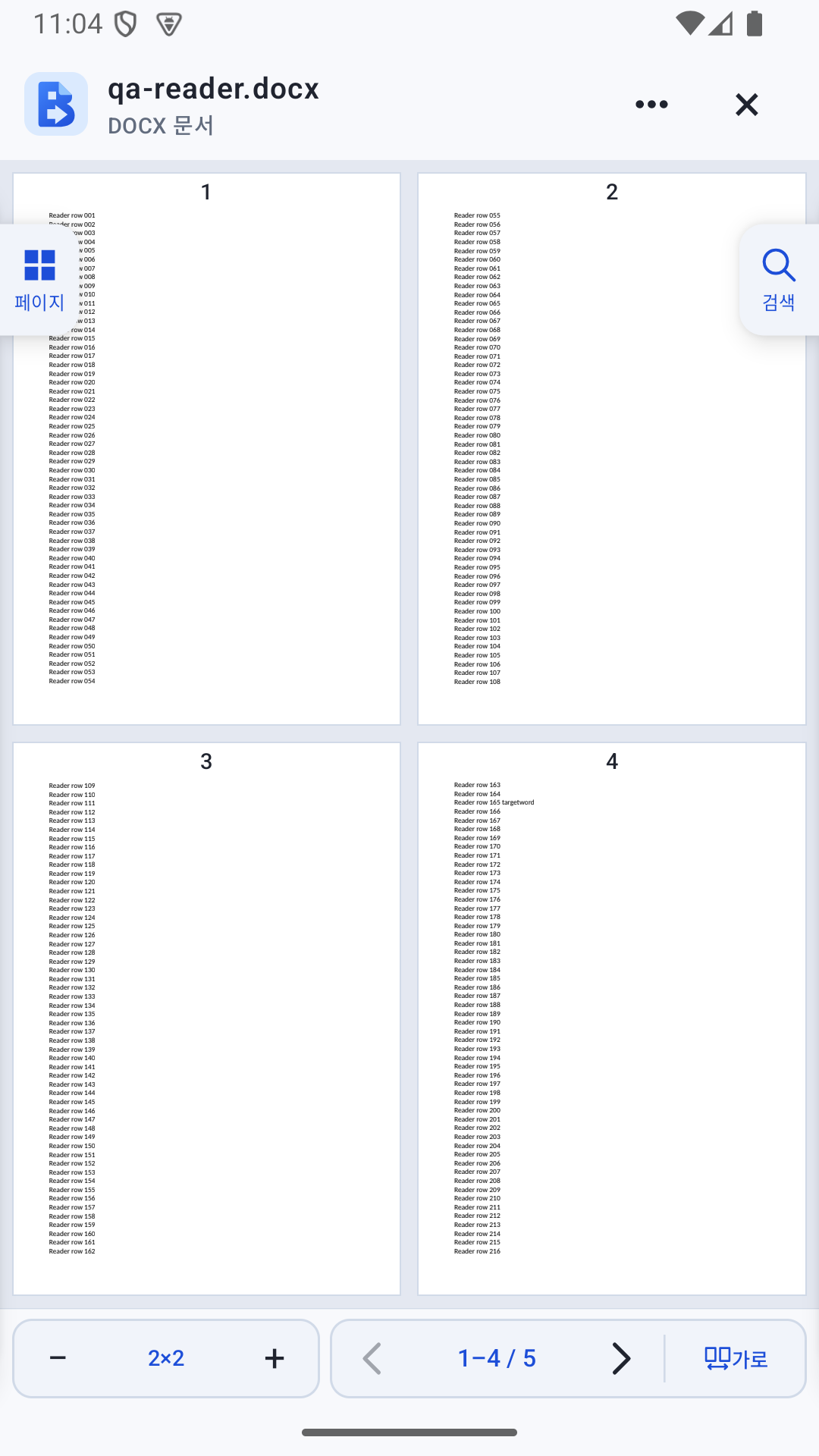
2×2 page view
2×2 page view
Search matches highlighted in the document

Open Hangul, Office, TXT, CSV, and image files on your device, and find or mark important passages.

Features

  • Open HWP, HWPX, Word, Excel, PowerPoint, TXT, CSV, and images
  • Page thumbnails, single-page, two-page, and 2×2 views, and vertical or horizontal scrolling
  • Highlight search matches and mark document text
  • Save selected pages as PDF or image copies, or convert TXT, CSV, and images to DOCX, XLSX, and PPTX respectively

Getting started

Choose a file. You can also drag and drop it on the web.

Availability

The Android app is available on Google Play in South Korea for ARM64 devices running Android 8.0 or later. Android and web support Korean, English, Japanese, Simplified Chinese, and Spanish.

Screenshots from an Android test build using sample documents.